
Best App for Tradesmen to Get Paid Faster (UK 2026)
A 2026 comparison of the trade apps that help UK tradesmen get paid faster, through on site card payments, deposits and automated invoice chasing.
Updated 4 November 2026
Best App for Tradesmen to Get Paid Faster (UK 2026)
Getting paid should be the easy part of a job. For most UK trades it is the slowest. This guide compares the apps that shorten the gap between finishing work and seeing the money, through on site card payments, deposits, and invoice chasing that runs itself.
By Daniel Sedgwick, Founder of Checker and a former gas engineer
Late payment is not a rare problem for UK trades, it is close to the default. Research from Direct Line for Business found that 81 per cent of tradespeople are currently chasing late payments, with an average of £6,210 outstanding at any one time and around 86 hours a year lost to chasing, according to figures gathered by the Small Business Commissioner. Multiply that across the trade and it runs to roughly £11 billion a year drained from small firms.
The cause is rarely one big bad debt. It is the ordinary drip: an invoice sent from the van a week late, a customer who means to pay and forgets, a deposit never asked for, a reminder nobody had time to send. Each gap is small. Together they are the difference between a healthy cash position and a nervous look at the bank balance on a Friday.
The apps below all touch invoicing, but they are not equal on the one thing that actually moves money sooner: taking payment on the spot and chasing the rest automatically. They are listed in display order, not ranked.
Key takeaways
- The two levers that move money soonest are taking card payment before you leave site, and letting the app chase the balance for you. An app that only produces a nice PDF still leaves you waiting.
- Checker takes card payment on site through the Zettle Reader 2, and the invoice marks itself paid and syncs to your accounts. You can take the full invoice, a part payment, or a deposit.
- Checker does not take a cut of your card payments; the card fees are billed directly by Zettle, which typically settles into your bank the next working day.
- Checker’s Invoice Chaser sends up to three reminders on its own, escalating from polite to firm, and stops the moment the invoice is paid. A pay now link on the invoice lets a customer settle the moment they open it on their phone, instead of waiting to arrange a bank transfer.
On this page

Powered Now
Powered Now is built around fast document generation, so quotes and invoices go out quickly, which is itself part of getting paid sooner. Automated invoice and quote chasing is available on the Premium tier.
It syncs two way with Xero on the Professional plan and above. Pricing runs £28 to £40 per user per month, excluding VAT. A strong fit for sole traders whose bottleneck is producing paperwork quickly.

Checker
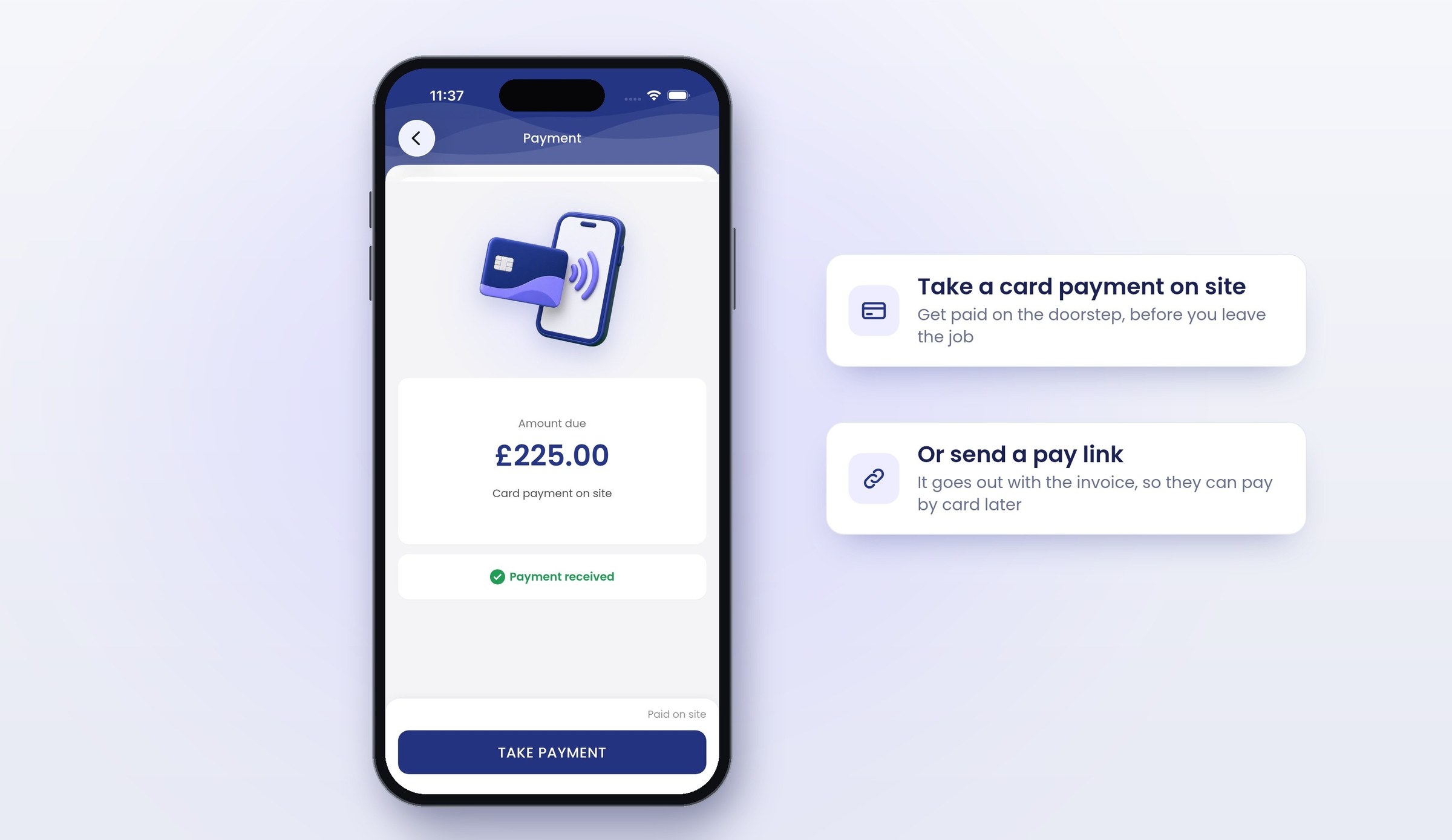
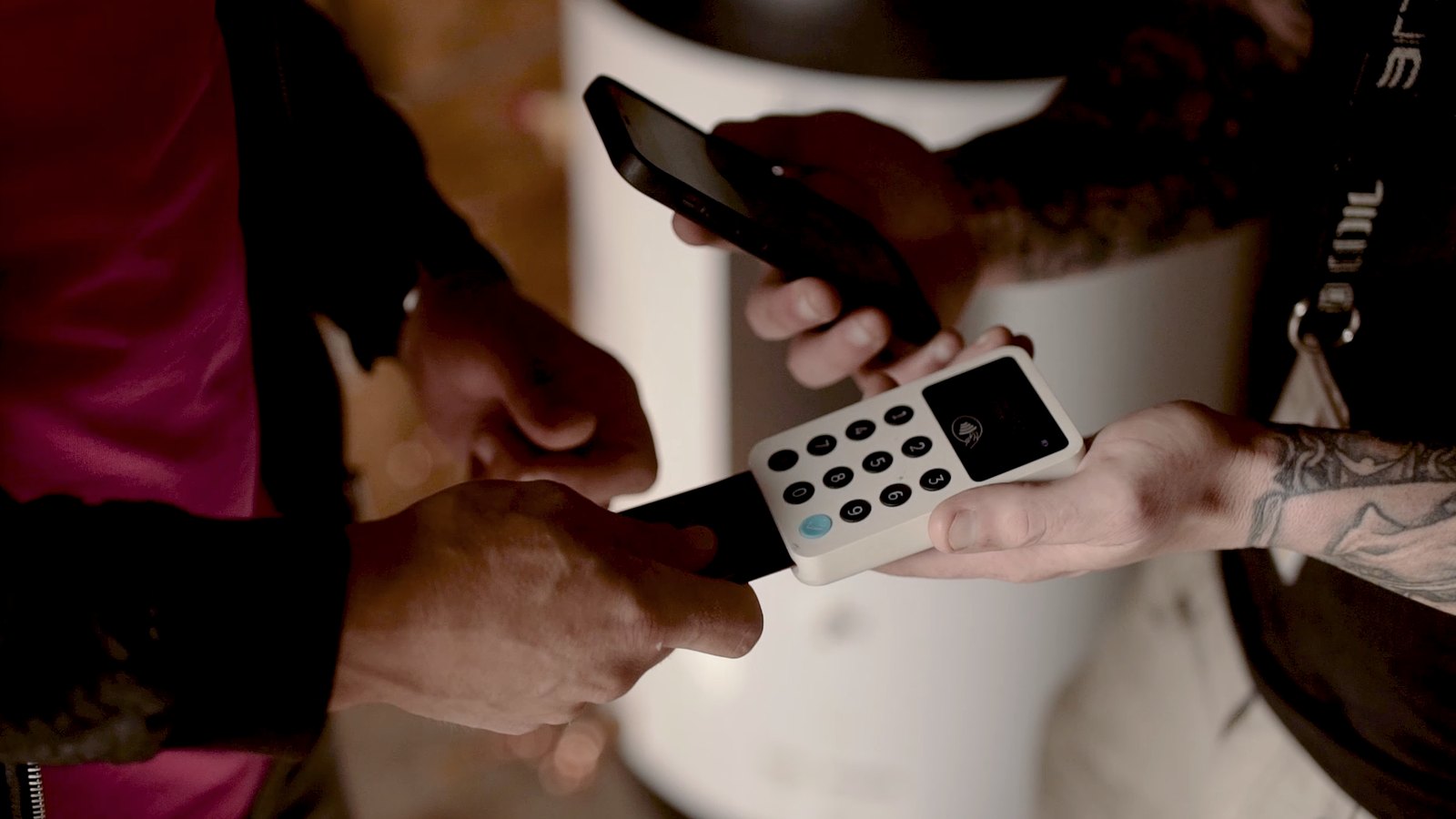
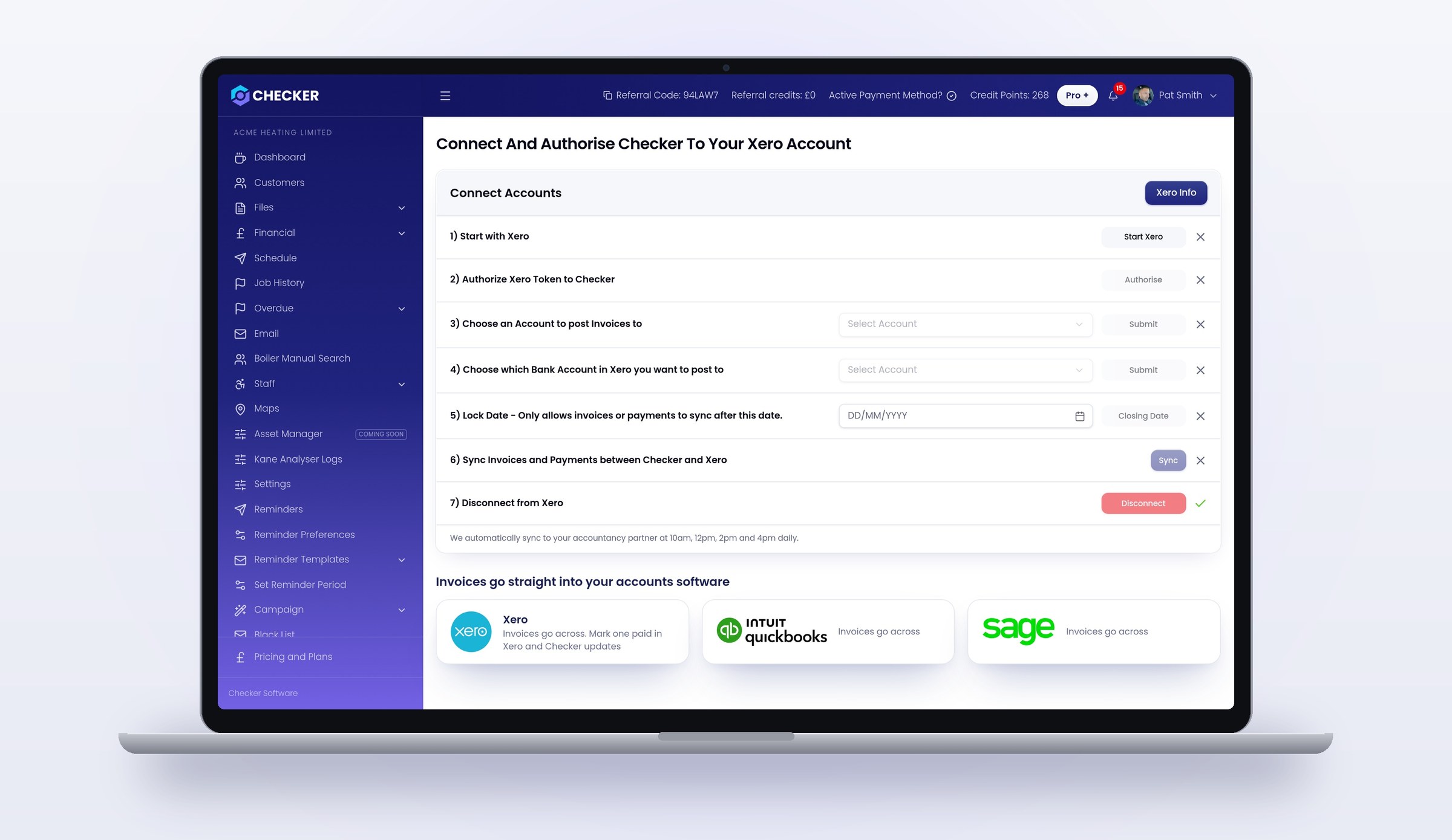
Checker is built to close the gap between finishing a job and getting paid, on site. After you complete an invoice you tap Take card payment, and the amount transfers to a Zettle Reader 2 over Bluetooth. The customer pays by chip and pin, contactless, Apple Pay or Google Pay, the invoice marks itself paid, and it syncs straight to Xero, QuickBooks or Sage. You can take the full invoice, a part payment, or a deposit before the work starts.
Checker does not take a cut of the payment: the card fees are billed directly by Zettle, which typically settles into your bank account the next working day. For the invoices you do not collect on site, the Invoice Chaser sends up to three reminders on its own, a polite one, a firmer one and a final one, and stops the second the invoice is paid. A pay now link on the invoice lets a customer settle the moment they open it on their phone, instead of waiting to arrange a bank transfer. Pricing is per sub-user, with no lock-in. Current prices are on the pricing page.

Tradify
Tradify handles quoting and invoicing well and offers card payments through an integration. Its UK Pro and Plus tiers include Quote and Invoice Reminders, quotes and invoices that chase themselves for approval and payment.
It syncs two way with Xero and QuickBooks, and one way with Sage. Pricing runs £34 to £44 per user per month in the UK. Best suited to small and mid sized teams with reliable site signal.

ServiceM8
ServiceM8 supports online card payment and works well as a mobile first tool for small trade businesses running the job from a phone.
Reminders come via add ons rather than a built in invoice chaser, and accounting sync is native to Xero and QuickBooks Online, though Sage is not supported. Pricing runs from free to £269 a month by job volume, excluding VAT.

Commusoft
Commusoft is aimed at established multi engineer service businesses, and payment handling sits within its higher tiers.
Automated chasing and the finer detail of its payment flow are not clearly confirmed publicly, so check them on a demo. Plans are quote only on a twelve month contract, designed for teams of six or more.

Joblogic
Joblogic is a commercial and compliance heavy platform with finance modules, suited to contract driven operators.
It integrates with Sage, Xero, QuickBooks and more, though an automated invoice chaser is not confirmed by name. The headline price is £45 per user per month billed annually, with higher tiers quote only.

Fergus
Fergus is job costing led, built for firms that want to see margin on every job, with payment handled through integrations.
Its automated chasing behaviour is not clearly documented, so confirm it before relying on it. Pricing runs £39 to £45 a month, with a custom Enterprise tier.
How to actually get paid faster
The tool matters, but so does the habit. The firms that never chase money are usually doing four simple things, and a good app makes all four the path of least resistance.
Keeping the agreed quote alongside the invoice matters when a payment is disputed: Schmitdy On Site’s Tradesmen Getting Paid: One Quote Email, Six Years, One High Court Appeal follows one such dispute through a High Court appeal.
Take a deposit up front
A deposit on booking protects your materials and your diary, and starts the job with money already in.
Get paid on site
A card reader in the van turns finished into paid before you drive off, instead of days later.
Send the invoice the same day
A branded invoice with a pay now link, sent from site, is settled far sooner than one written up next week.
Let the app chase
Automatic reminders remove the awkward job of chasing, and they never forget or run out of time.
Checker is built so all four are the default rather than the exception. For a wider look at quoting and billing, our guide to invoicing and quoting software for UK trades goes deeper on the paperwork side.
Comparison table
How the main UK trade apps help you get paid, listed in display order rather than ranked. Where a payment or chasing feature is not clearly documented, we have said so rather than guessed.
| Tool | On site card payment | Deposits or part payment | Automated invoice chasing | Accounting sync | Price and contract | Best suited for |
|---|---|---|---|---|---|---|
| Powered Now | Card payments supported | Yes, on quotes and invoices | Automated invoice and quote chasing (Premium tier) | Xero two way (Professional and above) | £28 to £40/user/month, ex VAT | Sole traders needing fast quotes and invoices |
| Checker | Yes, tap to take card on site via the Zettle Reader 2 | Yes: full invoice, part payment or a deposit | Invoice Chaser, up to 3 reminders, stops on payment | Xero, QuickBooks, Sage (two way) | Per sub-user, no lock-in. See current prices | Trades who want on site card payment and automatic chasing in one app |
| Tradify | Card payments via integration | Not confirmed | Quote and Invoice Reminders (Pro and Plus tiers) | Xero, QuickBooks (two way); Sage (one way) | £34 to £44/user/month, UK | Small to mid sized teams with reliable site signal |
| ServiceM8 | Online card payment supported | Not confirmed | Reminders via add ons; no named invoice chaser | Xero and QuickBooks Online (native); Sage not supported | Free to £269/month by job volume, ex VAT | Small, mobile first trade businesses |
| Commusoft | Payment handling on higher tiers | Not confirmed | Not confirmed | Not confirmed | Quote only, 12 month contract, 6+ staff | Established multi engineer service businesses |
| Joblogic | Payment via finance modules | Not confirmed | Not confirmed by name | Sage, Xero, QuickBooks and more | £45/user/month, billed annually | Commercial and compliance heavy contractors |
| Fergus | Payment via integrations | Not confirmed | Not confirmed | Not confirmed | £39 to £45/month; Enterprise custom | Firms that want margin visibility per job |
Frequently asked questions
What is the fastest way for a tradesman to get paid?
Take payment on site the moment the job is done, before you leave. A card reader paired to your invoicing app turns a finished job into a paid one on the spot, rather than starting a wait of days or weeks. For anything not collected on site, an automated invoice chaser and a pay now link on the invoice are the next best levers.
How does taking card payments on site work in Checker?
Checker pairs with a Zettle Reader 2 over Bluetooth. You complete the invoice, tap Take card payment, and the customer pays by chip and pin, contactless, Apple Pay or Google Pay. The invoice marks itself paid and syncs to Xero, QuickBooks or Sage, and the customer gets a receipt by email or text. You can take the full amount, a part payment, or a deposit.
Does Checker charge a fee on card payments?
Checker does not take a cut of your card payments. The card transaction fees are billed directly by Zettle, whose rates are shown on Zettle’s own pricing page, and payments typically settle into your bank account the next working day.
Can an app chase late invoices for me automatically?
Yes. Checker’s Invoice Chaser starts as soon as an invoice passes its payment terms and sends up to three reminders on its own, escalating from a polite nudge to a firm final notice, then stops the moment the invoice is paid. Each reminder can be toggled on or off, so it fits how you like to work.
How much does late payment cost UK tradespeople?
Industry research suggests 81 per cent of tradespeople are chasing late payments at any given time, with an average of £6,210 outstanding and around 86 hours a year lost to chasing, per figures from Direct Line for Business and the Small Business Commissioner. Across the sector that adds up to roughly £11 billion a year.
Daniel Sedgwick
Daniel Sedgwick, known on the tools as Dan, founded Checker after years working as a gas engineer. He built Checker’s payment and chasing tools around the cash flow problem he lived with on the tools: doing the work is easy, getting paid for it on time is the hard part.
Sources
- DMH Electrical (UK) Ltd v MK City Group Ltd [2023] EWHC 2960 (KB).
- Video: Tradesmen Getting Paid: One Quote Email, Six Years, One High Court Appeal, Schmitdy On Site, YouTube.
Turn finished into paid before you leave
Checker lets you take card payment on site, send a same day invoice with a pay now link, and chase the rest automatically until it is settled. The card fees are billed by Zettle, not us, and payments typically land the next working day. A sub-user seat comes with no contract. Current prices are on the pricing page.
Get Started Free
Certificates, quotes and invoices done on site, then service reminders that bring the work back.
Same app everywhere. We show local paperwork, tax and terms, and remember your choice.